A handful of things Vodou is built around — translated from "how it works" into
what it actually means for you.
Off-the-record by default
There's no separate "private browsing mode" to remember to turn on — ordinary browsing already works this way. A request blocker also stops connections to roughly 3,500 known tracker and ad domains, checked entirely on your device.
Off-the-record by default
Cookies and browsing history live in memory only and disappear when you close the window.
Built-in phishing protection
Every address you navigate to is checked on-device for brand impersonation and against public phishing/malware lists — no per-URL lookup, so nothing about your browsing is ever sent out to power it.
Built-in phishing protection
Look-alike, punycode, and known-malicious domains are caught before they load.
A password manager, built in
Logins are encrypted with scrypt-derived Fernet encryption, with optional hardware security-key two-factor. Filling a saved login is always something you trigger — Vodou never fills a form automatically.
A password manager, built in
An encrypted vault, not a separate app or extension.
AI that stays on your machine
Summarize search results, ask questions, or ask whether a site looks safe — all powered by your own local Ollama install. It's off until you turn it on, and nothing you ask is sent to a cloud AI service.
AI that stays on your machine
Optional AI features that run on your own computer, not in someone's cloud.
Check where an image came from
Vodou reads an image's C2PA Content Credentials — who signed it, when, and whether it's declared AI-generated — and checks the signer against the official trust list. It's honest about its limits: an image with no credential is "unknown," never "authentic."
Check where an image came from
Right-click an image to verify its Content Credentials, on your device.
Effortlessly familiar
Vodou renders pages with Qt WebEngine, a Chromium-based engine — the same kind of engine behind Chrome and Edge — so tabs, navigation, and DevTools all behave the way you already expect.
Effortlessly familiar
If you've used a browser before, you already know how to use Vodou.
Engine updates, without the risk
Vodou checks for updates on its own and moves Qt, PyQt6, and the Chromium engine together as one compatible set. The current version is backed up first, and if anything goes wrong during the update, it's restored automatically.
Engine updates, without the risk
Update Vodou and its Chromium engine in one click, with automatic rollback.
Open, from the ground up
Nothing about how Vodou is built is hidden away. The code, the progress, and the decisions happen in the open, so anyone can look under the hood, ask questions, or help shape what comes next.
Open, from the ground up
Vodou is developed in the open on GitHub, under the MIT License.
A community that has your back
Vodou's community hub is built for people to ask questions, report problems, and share what they've learned with each other, backed by a full Help Center documenting exactly how the browser works.
A community that has your back
Get stuck, and real people — not just a help article — are there.
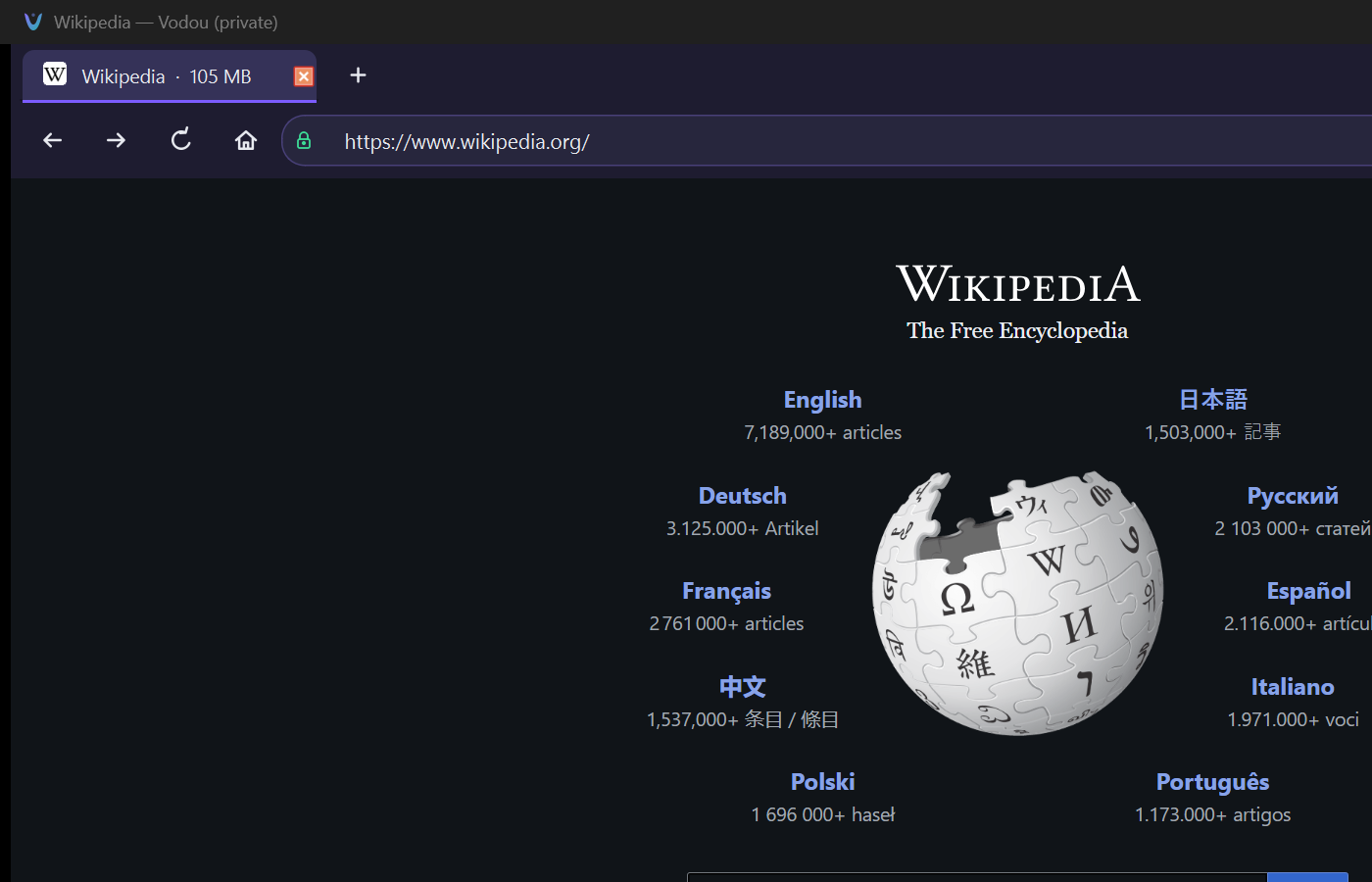
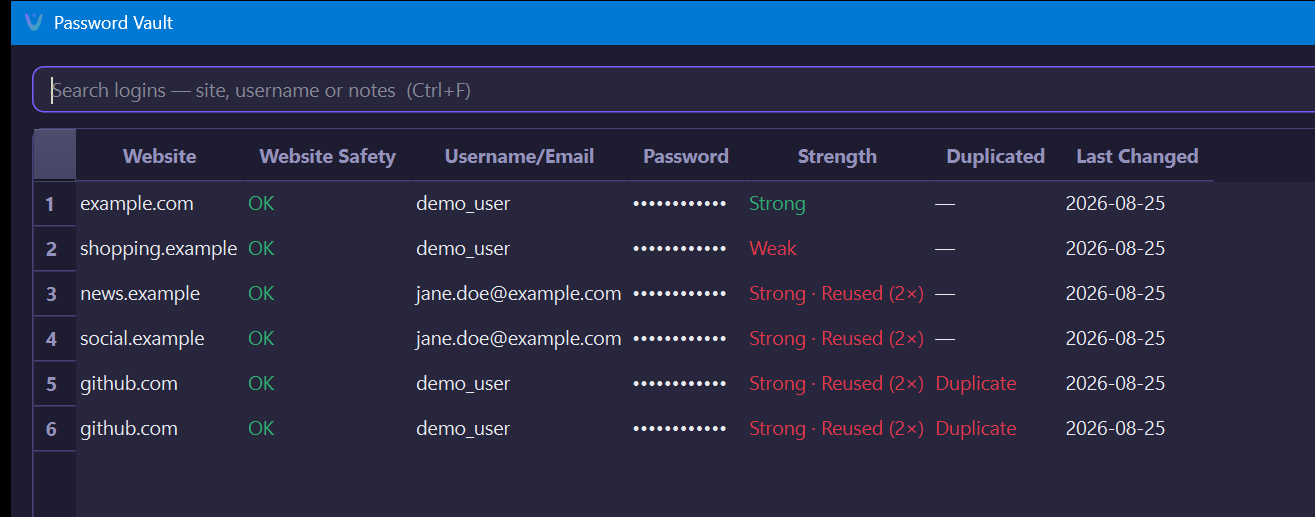
Real screenshots, not mockups — an ordinary page, and the password vault's
dashboard with its strength, reuse, and duplicate detection all visible at once.
Everyday browsing — tabs, address bar, and the security indicator.
The password vault — strength, reuse, and duplicate detection at a glance.
Try Vodou
Ready to browse differently?
Give Vodou a try and see what a browser built with a different approach can feel like.
 Vodou
Vodou